Local AI image and video generation has become easier to access, yet managing different interfaces, models, Python environments, dependencies, and updates can still feel complicated. Stability Matrix aims to simplify this process by bringing multiple AI generation tools into one desktop application. Its package management approach helps users spend less time handling technical setup and more time creating content.
As interest in Stable Diffusion, ComfyUI, Flux, and other local AI workflows continues to grow, cross-platform support has become increasingly important. Users working across different computers need an application that fits their operating system without forcing them to rebuild their entire AI environment from scratch.
What Is Stability Matrix?
Stability Matrix is a free, open-source desktop application designed to install, manage, and launch local AI image and video generation software. Rather than manually setting up Python environments, repositories, dependencies, and model folders for every application, users can manage supported packages through a centralized interface.
Read More: Where can I download Stability Matrix?
The platform supports several popular AI applications, including ComfyUI, Stable Diffusion WebUI, Stable Diffusion WebUI reForge, InvokeAI, SwarmUI, and various training tools. Availability and hardware acceleration can vary between individual packages.
Stability Matrix on Windows
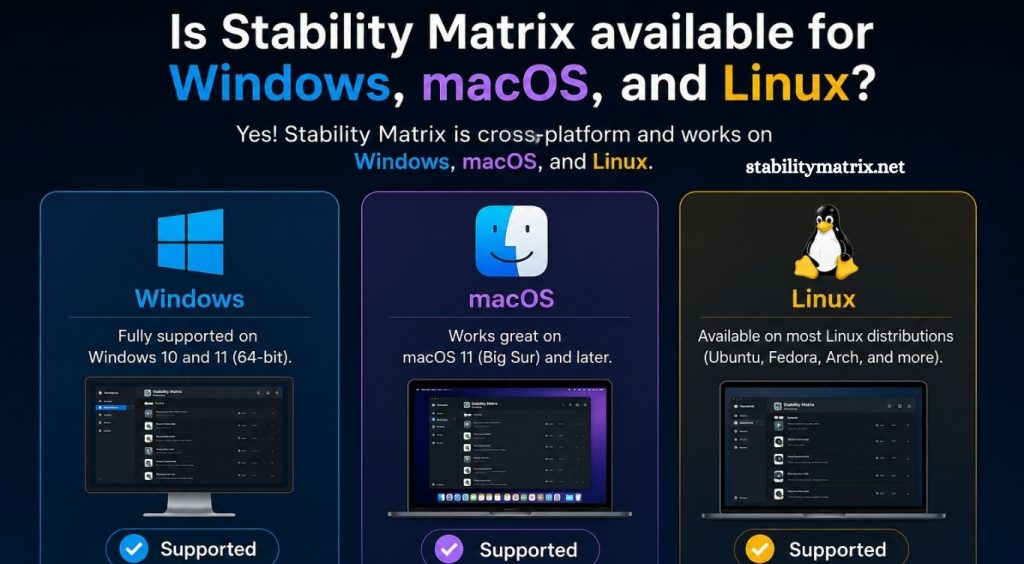
Windows is one of the primary platforms supported by Stability Matrix. Current official releases target Windows 10 and Windows 11 on x64 systems. The Windows version is distributed as a ZIP package rather than a traditional installer.
Installation is relatively straightforward. Users download the Windows x64 release, extract the archive, open the extracted folder, and launch StabilityMatrix.exe.
Windows also offers broad hardware compatibility. NVIDIA GPUs can use CUDA, while supported AMD hardware can use ROCm or ZLUDA depending on the GPU and package. Intel Arc graphics can use the IPEX backend for compatible applications, while DirectML provides another Windows acceleration option.
For AI generation, NVIDIA hardware remains one of the most broadly supported choices. However, the exact experience depends heavily on the selected AI package, GPU, drivers, model, and available VRAM.
Stability Matrix on macOS
Stability Matrix is also available for macOS, with official releases targeting Apple Silicon Macs. The current release format is a .dmg file designed for ARM-based Macs.
Installation follows the familiar macOS process. After downloading the disk image, users open it and move Stability Matrix into the Applications folder.
Apple Silicon Macs use Apple’s Metal Performance Shaders (MPS) backend for GPU acceleration. Stability Matrix documentation lists MPS support for several packages, including ComfyUI, Stable Diffusion WebUI, SD.Next, InvokeAI, SwarmUI, and SDFX.
One important limitation is that the official macOS AI workflow currently focuses on Apple Silicon. Intel-based Macs do not receive the same MPS acceleration path. Individual models and packages can also have different compatibility requirements.
Stability Matrix on Linux
Linux is another officially supported platform. Current releases target Linux x64 systems and are distributed through a ZIP archive containing an AppImage build.
Users can extract the downloaded archive, make the AppImage executable, and launch it. Some Linux distributions may require additional AppImage runtime components, such as libfuse2, depending on the system configuration.
Arch-based Linux users also have access to an AUR package. However, the standalone AppImage can be more convenient for users who want the official portable release and Stability Matrix’s own update workflow.
Linux also provides strong options for AMD GPU users because native ROCm support is available for compatible hardware. NVIDIA users can use CUDA, while Intel Arc graphics can use IPEX for supported packages.
Windows vs macOS vs Linux
The three platforms offer the same basic Stability Matrix concept, but hardware support differs significantly.
| Platform | Official Target | Main GPU Options |
|---|---|---|
| Windows | Windows 10/11 x64 | NVIDIA CUDA, AMD ROCm/ZLUDA, Intel IPEX, DirectML |
| macOS | Apple Silicon | Apple MPS |
| Linux | Modern x64 distributions | NVIDIA CUDA, AMD ROCm, Intel IPEX |
The biggest difference is not Stability Matrix itself but the underlying AI acceleration available on each operating system. Package developers may also provide different levels of support for particular GPUs and operating systems.
Does Stability Matrix Require Python?
One advantage of Stability Matrix is its self-contained approach. Official packaged releases generally do not require users to install Python, Git, or a separate .NET desktop runtime before launching the application.
Stability Matrix manages the required package environments itself, reducing much of the manual configuration normally associated with local AI applications.
This can be particularly useful for beginners who want to experiment with ComfyUI or Stable Diffusion without learning command-line installation procedures first.
Can You Move Stability Matrix Between Systems?
Stability Matrix supports a portable workflow that can make moving a setup easier. Its data directory stores important application data, packages, models, workflows, and related files in a centralized structure.
However, moving an AI environment from Windows to Linux or macOS does not guarantee that every package, dependency, or hardware backend will work without changes. Operating-system differences, GPU acceleration, drivers, and package-specific dependencies can affect compatibility.
For large AI model libraries, storage requirements should also be considered before moving a complete setup. Models can consume significant disk space, particularly when multiple image and video-generation models are installed.
Hardware Requirements Matter
Although Stability Matrix itself is relatively easy to install, AI generation can require substantial hardware resources. A dedicated GPU is strongly recommended for serious image and video-generation workloads.
The official documentation notes that approximately 16 GB of system RAM is a recommended baseline, while VRAM requirements vary considerably by model. Lightweight Stable Diffusion workflows can operate with less VRAM, while newer image and video models can require substantially more.
Storage is another important consideration. AI packages and models can occupy many gigabytes, so an SSD with sufficient free space can significantly improve the overall experience.
Which Platform Should You Choose?
Windows is a strong choice for users who want broad GPU and package compatibility, particularly with NVIDIA graphics cards.
macOS can be appealing for Apple Silicon users who prefer a straightforward desktop environment and want to use MPS-supported AI applications locally.
Linux is attractive for advanced users who want greater control over their system, particularly those using NVIDIA CUDA or AMD ROCm workflows. Linux can require more manual troubleshooting when drivers or AppImage dependencies are missing.
The best platform ultimately depends on the computer already available and the AI models or applications you plan to run.
Is Stability Matrix Cross-Platform?
Yes. Stability Matrix is designed as a cross-platform application, with official support for Windows, Linux, and macOS. The current release targets are Windows x64, Linux x64, and Apple Silicon macOS.
Cross-platform availability makes Stability Matrix useful for users who work with local AI on different operating systems. Still, cross-platform application support does not mean every AI package or model behaves identically on every platform.
Hardware acceleration remains one of the biggest factors affecting performance and compatibility.
Conclusion
Stability Matrix provides a convenient way to manage local AI generation software across Windows, macOS, and Linux. Its centralized package manager reduces the complexity associated with installing applications, managing dependencies, and maintaining multiple AI environments.
Pingback: How do I install Stability Matrix? - stabilitymatrix