
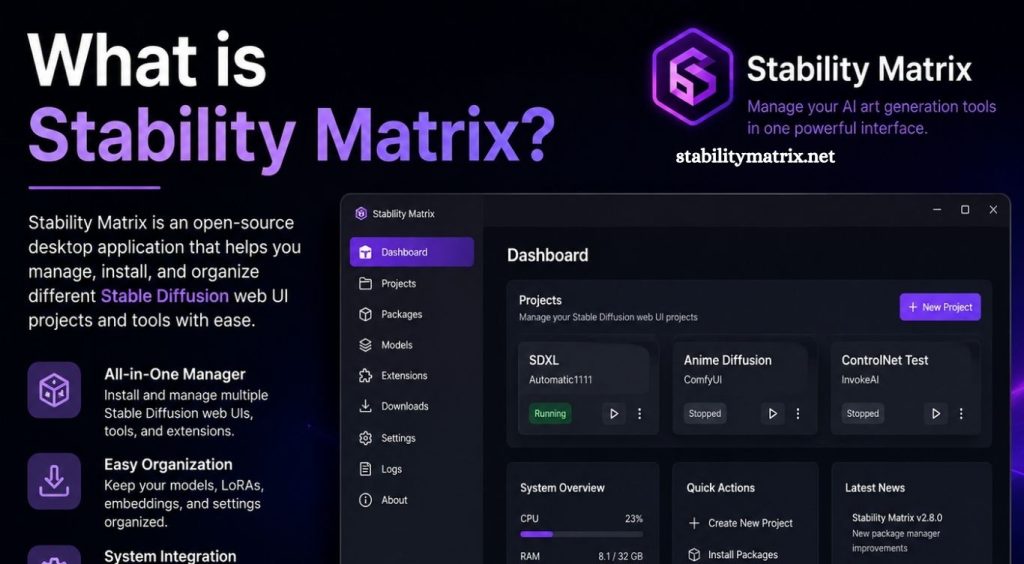
AI image generation has grown rapidly, giving creators access to powerful tools for producing artwork, realistic images, concept designs, illustrations, and creative experiments. As these tools become more advanced, managing different AI models, interfaces, extensions, and workflows can become difficult, especially for users who work with multiple platforms.
Stability Matrix offers a practical way to organize several AI image-generation environments from one application. It can simplify installation, model management, updates, and access to popular Stable Diffusion-based interfaces, making AI workflows easier to manage on a Windows, macOS, or Linux computer.
What Is Stability Matrix?
Stability Matrix is a desktop application designed to simplify the management of AI image-generation packages and models. It works as a centralized environment where users can install, configure, update, and manage different Stable Diffusion interfaces without handling every component manually.
Read More: What is Stability Matrix?
Instead of downloading each AI interface separately and managing models across different folders, Stability Matrix provides a unified management system. This approach can save time and reduce the technical complexity involved in setting up local AI image-generation software.
The platform is particularly useful for users who experiment with different Stable Diffusion interfaces, models, checkpoints, LoRAs, and other AI-generation resources.
How Does Stability Matrix Work?
Stability Matrix acts as a management layer between the user and various AI image-generation packages. After installation, users can select supported packages and install them through the application.
The software manages important components such as application files, Python environments, dependencies, and model locations. This reduces the need to manually configure command-line tools or install dependencies individually.
Once a package has been installed, users can launch it through Stability Matrix. Multiple AI interfaces can coexist on the same computer, allowing users to switch between different workflows based on their requirements.
Key Features of Stability Matrix
Centralized Package Management
One of the main advantages of Stability Matrix is centralized package management. Users can install multiple supported AI interfaces without maintaining completely separate installation processes.
This structure makes experimentation easier for beginners and experienced AI creators.
Model Management
AI image-generation workflows often require large model files. Keeping track of checkpoints, LoRAs, VAE files, and other resources can quickly become confusing.
Stability Matrix helps organize these resources and can provide shared model storage for supported packages. This can reduce unnecessary duplication of large files and help maintain a cleaner AI workspace.
Multiple AI Interfaces
Different Stable Diffusion interfaces provide different workflows. Some focus on simplicity, while others offer advanced controls for professional image generation.
Stability Matrix allows users to manage multiple supported packages from one location. This flexibility makes it easier to experiment with different interfaces without rebuilding an entire AI environment each time.
Dependency Management
Local AI software often depends on specific versions of Python packages and other components. Dependency conflicts can cause installation failures or unexpected errors.
Stability Matrix helps manage these environments, reducing some of the manual configuration normally required during installation.
Portable Workflow
Stability Matrix can help users maintain their AI tools and models within an organized directory structure. This can make moving or backing up an AI setup more manageable.
The exact portability experience depends on the operating system, package configuration, and installed resources.
Stability Matrix and Stable Diffusion
Stable Diffusion is a family of generative AI models used to create images from text prompts and other inputs. Many different applications and interfaces have been developed around Stable Diffusion technology.
Stability Matrix does not simply replace Stable Diffusion. Instead, it helps users manage applications and resources used for local AI image generation.
This distinction is important. Stability Matrix is primarily a management tool, while Stable Diffusion refers to the underlying image-generation technology and models.
Who Should Use Stability Matrix?
Stability Matrix can be useful for several types of users.
Beginners may benefit from its simplified installation and management process. Instead of learning every technical step immediately, they can use a graphical interface to manage supported AI packages.
AI artists can use it to maintain multiple image-generation environments and experiment with different models and workflows.
Developers and advanced users may also find it useful when testing different packages, models, extensions, and configurations on a single machine.
Benefits of Using Stability Matrix
Easier Installation
Setting up local AI image-generation software manually can involve several technical steps. Stability Matrix reduces much of this complexity by providing a centralized installation process.
Better Organization
Large AI models can consume significant storage space. A centralized approach makes it easier to understand where models and packages are stored.
Flexible AI Workflows
Users are not limited to a single interface. Managing multiple supported packages allows creators to choose the environment that best fits a particular project.
Reduced Manual Configuration
Managing Python environments, dependencies, and application installations manually can be frustrating. Stability Matrix automates or simplifies many of these tasks.
Convenient Updates
Keeping AI software updated can become difficult when multiple applications are installed separately. A centralized manager can make package maintenance more convenient.
Is Stability Matrix Free?
Stability Matrix is available as free software, although the AI models, applications, and services managed through it may have their own licensing terms.
Users should always check the license associated with a specific model or package before using generated content commercially. Free access to an application does not automatically mean every model or resource can be used for commercial purposes.
System Requirements
The hardware requirements depend largely on the AI models and packages being used.
A modern computer with sufficient storage is important because AI models can occupy several gigabytes. A dedicated GPU with adequate VRAM can significantly improve local image-generation performance.
Users with limited hardware may still be able to run certain models or optimized workflows, although generation speed and available features can vary.
Storage should also be considered carefully. Installing several models and AI packages can consume substantial disk space.
Stability Matrix vs Manual Installation
Manual installation provides maximum control, but it can require more technical knowledge. Users may need to configure Python, dependencies, Git repositories, model directories, and launch parameters themselves.
Stability Matrix provides a more centralized approach. It can handle many installation and management tasks through a graphical interface.
For beginners, this can make the learning curve less intimidating. Advanced users who prefer complete control may still prefer manual installation for certain workflows.
How to Get Started With Stability Matrix
Getting started generally involves downloading the appropriate version for your operating system and installing the application.
After launching Stability Matrix, users can explore the available package options and install the AI interface they want to use. Models and other resources can then be added according to the selected workflow.
Before installing large models, check available storage and GPU capabilities. Keeping model files organized from the beginning can also make future AI projects easier to manage.
Common Uses for Stability Matrix
Stability Matrix can support many creative workflows, including AI artwork, character creation, concept art, product visualization, image enhancement, experimentation with generative models, and custom image-generation pipelines.
Its greatest advantage appears when users work with several AI tools instead of relying on a single application.
Conclusion
Stability Matrix provides a convenient solution for managing local AI image-generation software. By bringing package installation, model organization, dependencies, and multiple supported interfaces into one environment, it can make Stable Diffusion workflows easier to maintain.
Pingback: Is Stability Matrix free to use? - stabilitymatrix