AI image generation has become easier with desktop tools that bring multiple models, interfaces, and workflows into one place. Stability Matrix is one such application, designed to simplify the installation and management of popular AI image-generation packages. Its convenient setup makes it appealing to beginners who want to experiment with Stable Diffusion and related tools without handling every dependency manually.
Downloading software for AI workflows still requires careful attention to security. Source authenticity, software permissions, updates, dependencies, and download locations can all affect the safety of a desktop application. Understanding these factors can help users make better decisions before installing Stability Matrix on Windows or another supported platform.
What Is Stability Matrix?
Stability Matrix is a desktop application designed to manage AI image-generation packages and related components from a centralized interface. Instead of manually installing different interfaces, Python environments, models, and dependencies, users can use Stability Matrix to organize these components more conveniently.
Read More: Can Stability Matrix manage AI models?
The application is particularly useful for people working with Stable Diffusion ecosystems. Depending on the supported package and configuration, users can manage different AI tools without maintaining every installation separately.
Its main appeal comes from convenience. AI image-generation software can involve complicated installation procedures, making package management difficult for beginners. Stability Matrix attempts to simplify that process through a graphical interface.
Is Stability Matrix Safe to Download?
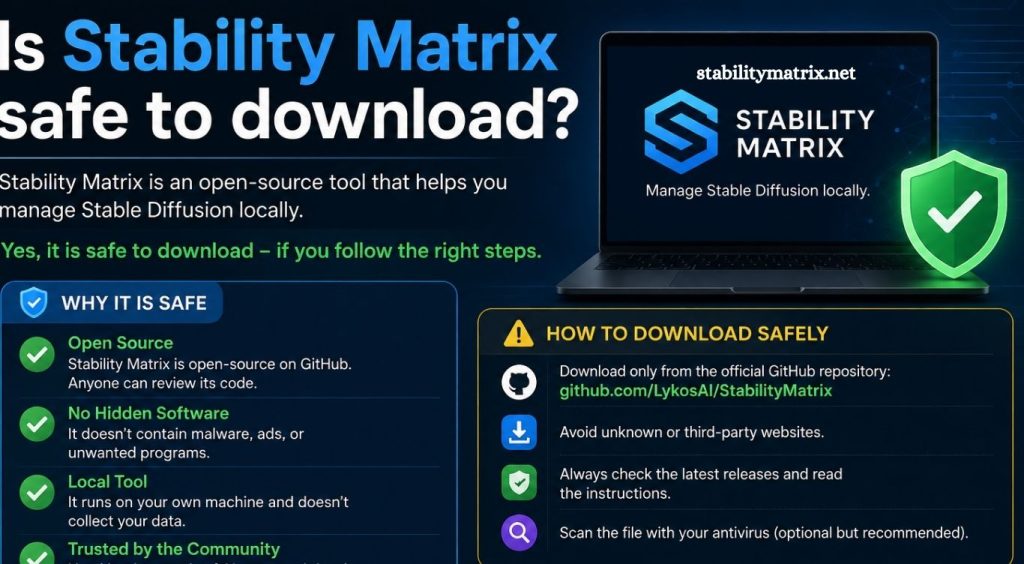
Stability Matrix can be considered reasonably safe when downloaded from its official project source and used with trusted AI models and packages. However, no third-party desktop application should automatically be considered completely risk-free.
The biggest security concern is often not the application itself but where the installer comes from. Fake download pages, modified installers, unofficial mirrors, bundled software, and malicious copies can create serious security problems.
Users should therefore verify the source before downloading Stability Matrix. Avoid installers distributed through unknown websites, suspicious file-sharing pages, random social media posts, or unofficial download links.
Download Stability Matrix From a Trusted Source
The safest approach is to obtain Stability Matrix through the project’s official distribution channels. Check the project’s official repository or website and verify that the download corresponds to the intended operating system.
Before opening an installer, check the filename, publisher information, file size, and security warnings. Windows Defender or another reputable security solution can also scan the downloaded file.
A legitimate download source significantly reduces the risk of receiving a modified or malicious version.
Why Source Verification Matters
AI software frequently depends on external packages, repositories, Python libraries, model files, and extensions. This creates a larger software ecosystem than a simple standalone application.
An unofficial Stability Matrix installer could potentially be modified to include unwanted software. Even when the application itself is legitimate, a compromised package, extension, or model can introduce security risks.
Source verification should therefore become part of the installation process.
Is Stability Matrix a Virus?
There is no general reason to classify the legitimate Stability Matrix application as a virus. Security software may occasionally display warnings for unfamiliar applications, scripts, downloaded components, or files associated with AI software.
AI applications can behave differently from conventional desktop programs because they may download packages, execute local scripts, access GPU resources, and manage large collections of files.
A security warning should not simply be ignored. Users should investigate the exact detection, verify the download source, scan the installer, and check whether the flagged file belongs to the legitimate application or one of its dependencies.
Can Stability Matrix Access Personal Files?
The permissions available to Stability Matrix depend on how it is installed and configured. A desktop AI application may need access to folders where models, packages, generated images, and configuration files are stored.
This does not automatically mean the application can freely access every personal file on the computer. However, users should still pay attention to installation locations and requested permissions.
Installing AI applications inside a dedicated workspace can make file management easier and reduce accidental exposure of unrelated personal data.
Are AI Models and Extensions Safe?
One important security consideration is the content installed through Stability Matrix.
AI models, custom nodes, extensions, scripts, and community packages may come from different developers. Some can contain executable components or dependencies that deserve additional scrutiny.
Users should prefer established repositories and developers with a strong community reputation. Avoid downloading unknown extensions simply because they promise better image quality or additional features.
Treat third-party AI extensions similarly to browser extensions: convenience should never replace source verification.
Common Security Risks When Downloading Stability Matrix
Several risks can appear when installing Stability Matrix or related AI software.
Fake Download Websites
Search engines can contain unofficial pages that imitate legitimate software websites. These pages may offer modified installers or misleading download buttons.
Always verify the domain before downloading.
Modified Installers
A modified installer can contain unwanted programs, malware, or other potentially harmful components. Official sources provide a much safer starting point.
Malicious Extensions
Third-party extensions can introduce scripts or dependencies into an AI environment. Only install extensions from sources you trust.
Untrusted Models
Model files may come from community platforms or unknown uploaders. Research the source before adding unfamiliar models to your environment.
Outdated Components
Old packages may contain vulnerabilities or compatibility problems. Keeping Stability Matrix and its managed components updated can reduce avoidable risks.
How to Download Stability Matrix Safely
Start by locating the official Stability Matrix project page. Confirm that the project name, publisher information, and download details match the legitimate software.
Download the installer directly from the trusted source rather than using a third-party download portal. After downloading, scan the file with your installed security software.
During installation, review the destination folder and any permissions requested by the software. Avoid disabling Windows security features simply because an installer recommends doing so.
After installation, keep the application and its components updated. Download models and extensions only from reputable sources.
Should You Use Antivirus With Stability Matrix?
Yes. Running reputable security software alongside Stability Matrix is a sensible precaution.
Windows users can rely on Microsoft Defender or another established antivirus product. Security software can help detect malicious files before they are executed.
If a warning appears, do not immediately whitelist the application. First verify that the file originated from the official source and investigate the specific detection.
False positives can occur with technical applications, but every warning deserves reasonable verification.
Is Stability Matrix Safe for Beginners?
Stability Matrix can be useful for beginners because it reduces much of the complexity involved in managing AI image-generation environments.
However, beginners should understand that Stability Matrix does not automatically make every downloaded model, extension, or package safe. The security of the overall environment depends on the sources users choose.
Learning basic download safety, file scanning, software permissions, and source verification can make the experience significantly safer.
Tips for a Safer Stability Matrix Setup
Use the official Stability Matrix distribution channel whenever possible. Keep Windows and security software updated. Download models and extensions from reputable sources. Avoid suspicious installers and cracked versions. Review software permissions before installation. Keep important personal files separate from AI project directories.
Regular backups can also protect valuable projects and generated content if something goes wrong.
Conclusion
Stability Matrix is a useful tool for managing AI image-generation environments, and downloading the legitimate application from its official source is generally the safest approach. The larger security risk often comes from unofficial installers, unknown extensions, questionable models, and untrusted third-party packages.